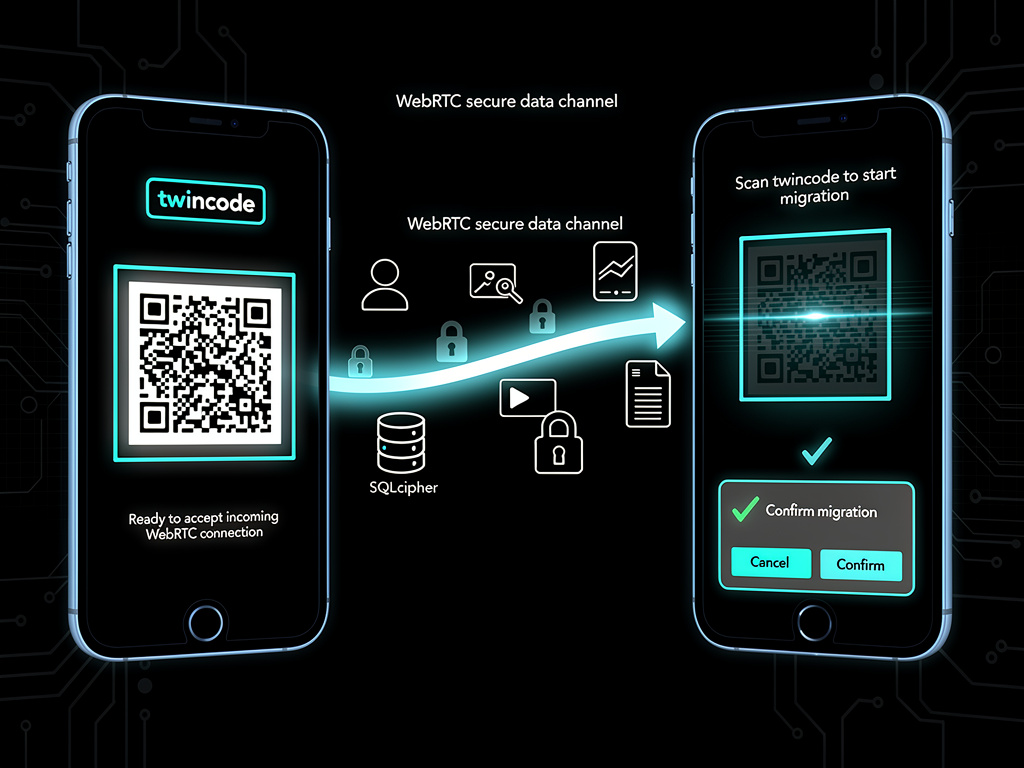
Because we don't have your data, when you want to change your device with another, we had to provide a specific mechanism that allows you to migrate all your data from one device to another. This device migration is complex because we don't want that you loose any information and this is why we decided to implement it, first by using WebRTC and second by doing a switch of data between the two devices. The device migration works as follows:
- on one device, you select the
Transfer from another devicein theAccountside menu. This will display a QR-code representing a twincode for the migration end-point. The device is ready to accept incoming WebRTC connection on that end-point. - on the second device, you select the
Transfer from this devicein theAccountside menu. This opens the QR-code scanner and you should scan the QR-code of the first device. Once the QR-code is scanned, the application will display a confirmation window.
When the user confirms the migration, the WebRTC connection is established between the two devices and the device migration proceeds between the two devices. The devices migration uses the WebRTC secure data-channel to exchange:
- the credentials to connect to our servers,
- the SQLcipher database that contains the relations but also the conversations and messages,
- the photos, videos and files for the conversations.